Every feature

Everything you need to
save an hour on every inspection.

Built around the way field techs actually work — phone in one hand, ladder in the other. Capture findings on-site, dictate notes hands-free, and email a branded PDF to your client before you drive away. No expensive iPads, no re-typing at midnight, no Google Translate.

Capture in the field

Photo-first inspections

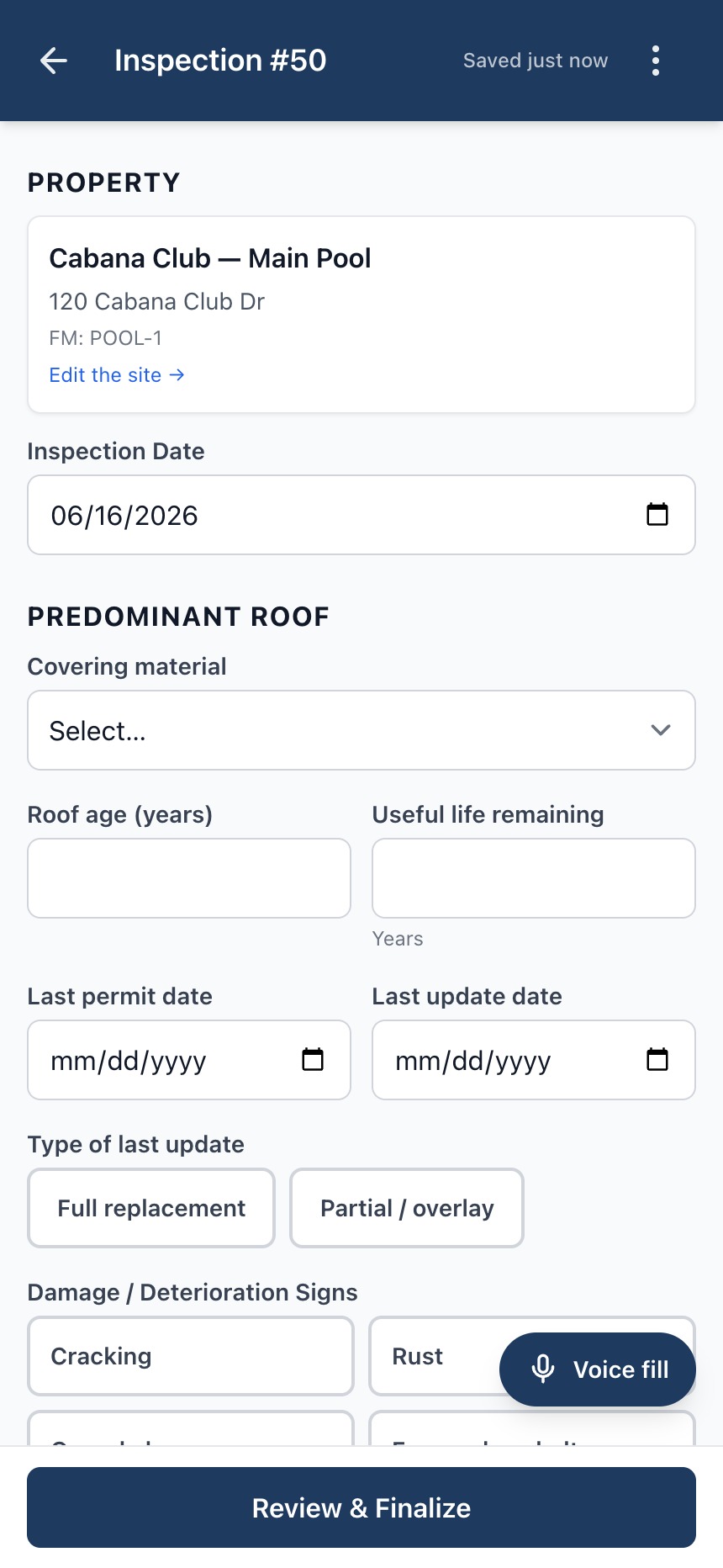
Take photos directly from your phone. Add a caption to give context — what room, which corner of the roof, which station number. On roof inspections, tag a photo to a specific section so it appears next to that section in the PDF.

Learn more →

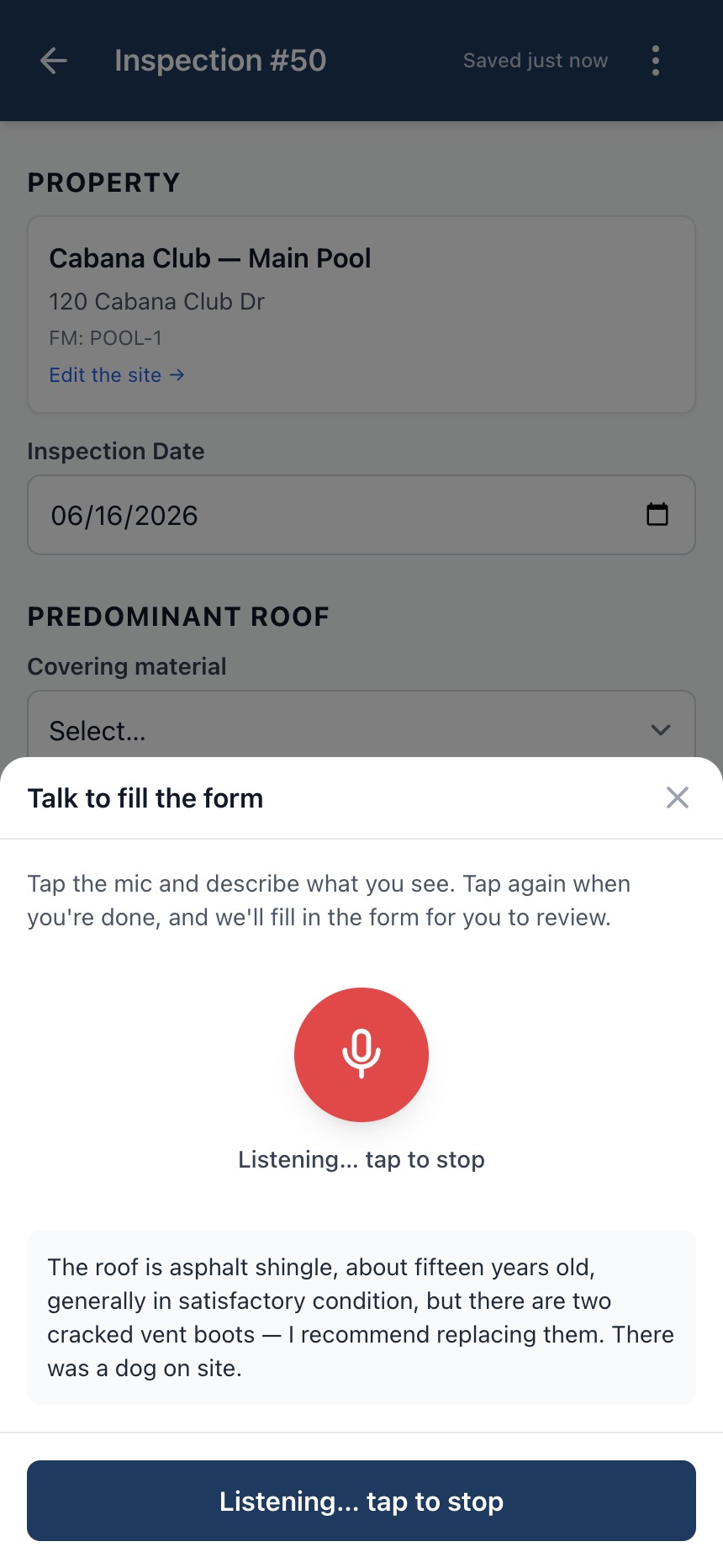
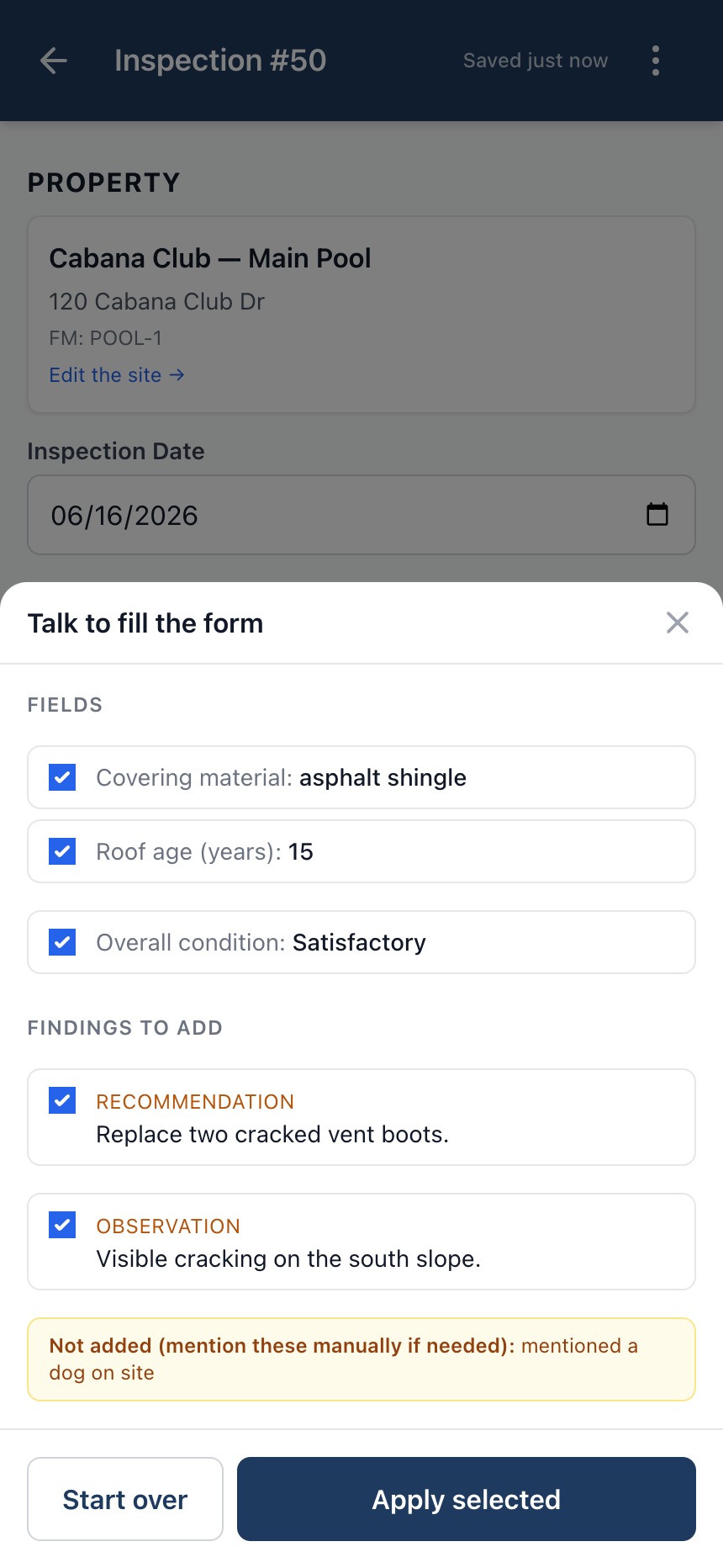
Voice dictation, hands-free

Damage notes, recommendations, technician notes — every long-form text field has a microphone icon. Tap it and speak; the words appear in the field. Works in Chrome and Safari, including iOS Safari when installed to your home screen.

Learn more →

Findings in three categories

Observations (what you saw), recommendations (what should be done), and notes (additional context). Add as many as the inspection needs; they appear in a numbered list on the finalized PDF.

Polish back at the office

AI report enhancement

Turn your raw field notes into a polished, client-ready summary with one click. Provider integration is managed for you — no API key. Every AI draft is shown alongside your original; you review and accept, or reject and keep your own words. Pro and Business.

Learn more →

AI patterns across visits

Once a site has enough history, surface the trends with one click. The AI reviews prior visits and the trend series, then calls out drift, recurring findings, and emerging concerns using vocabulary tuned to your trade. Pro and Business.

Learn more →

Your branding on every report

Upload your company logo and pick a four-color palette — primary, secondary, accent, background. The cover header and accent colors on every PDF carry your brand, not ours. All plans. PNG, JPEG, SVG, WebP up to 2 MB.

Learn more →

Get found — public profile & directory

Pro and Business workspaces get a templated public profile and a listing in our searchable contractor directory — your logo, disciplines, address and contact info, on a page you don't build or maintain. Learn more →

Polished PDF reports

Findings, photos, section-by-section detail, and an overall verdict laid out in a clean professional document the moment you finalize. Generated server-side from your data — no manual layout work, no template fiddling.

Learn more →

Sites & trend charts

Every inspection belongs to a Site — the property itself. Repeat visits build a per-site history; we chart every numeric measurement and finding category over time, so chemistry drift, superheat creep, or a panel's neutral-ground climb is visible at a glance.

Learn more →

Bilingual — Spanish ⇄ English

Inspector works in Spanish, customer reads English. Type or dictate in either language and the report is delivered in the language the client expects — translation happens at finalize time, not copy-paste from Google. Workspace and per-site language settings keep crews and customers on the same page.

Sites & trends

One site, every visit, every chart.

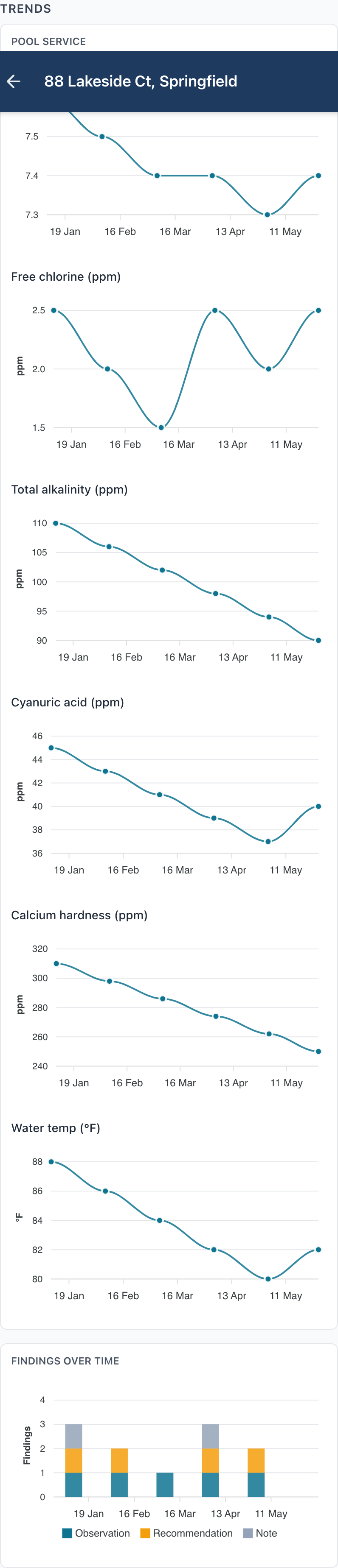
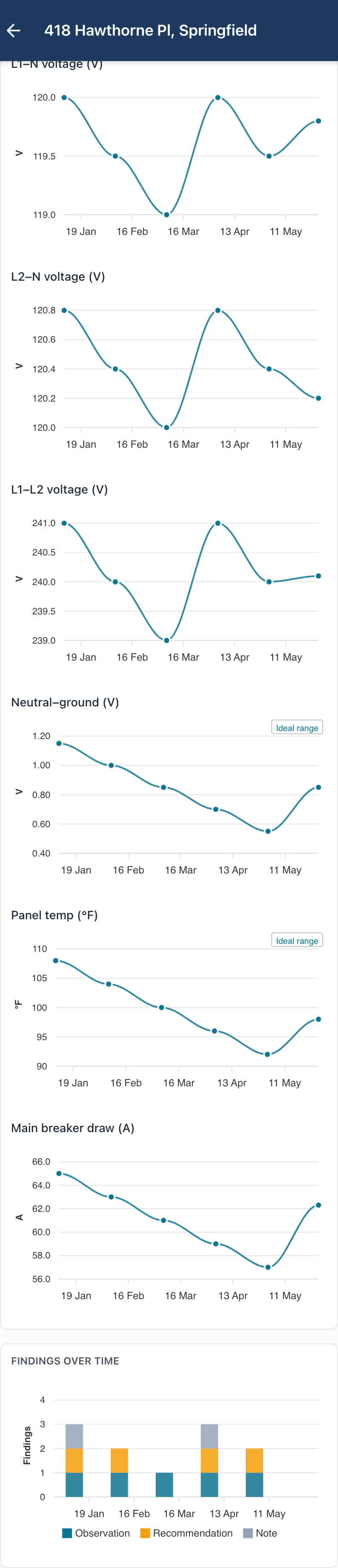
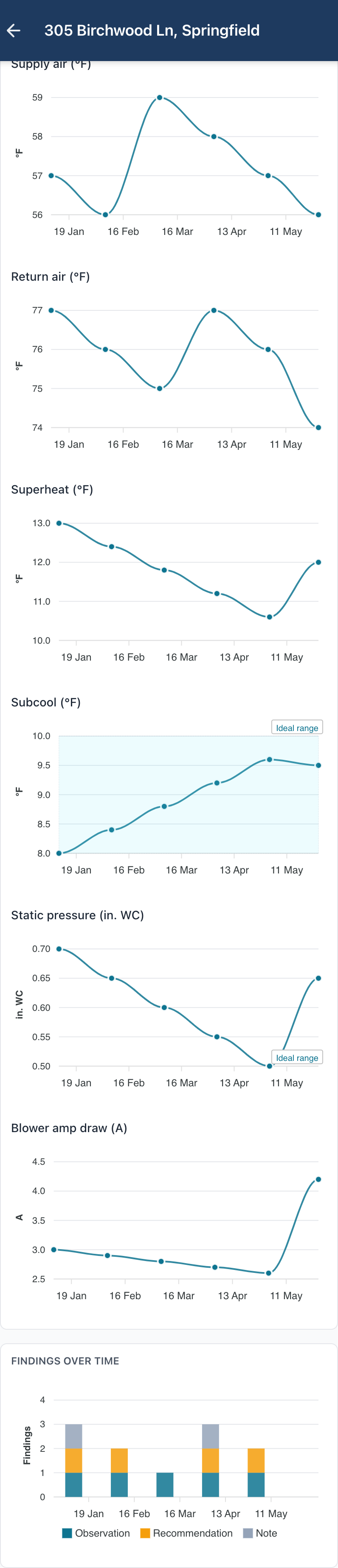
Sites group repeat inspections so you can see a property's story across time, not just on the day. A per-measurement line chart renders for every chartable field in the discipline, with the ideal-range band shaded behind so out-of-range readings stand out. Findings stack by category in a parallel column chart.

The finalized PDF carries the same trend story as a clean appendix on the last page — the same line charts, the same shaded reference bands. Your client gets the day's report and the long arc in one document, no separate dashboard login required.

Pool chemistry trends over six visits.
Electrical panel measurements over six visits.
HVAC operating measurements over six visits.
How AI enhancement works

You stay in control.

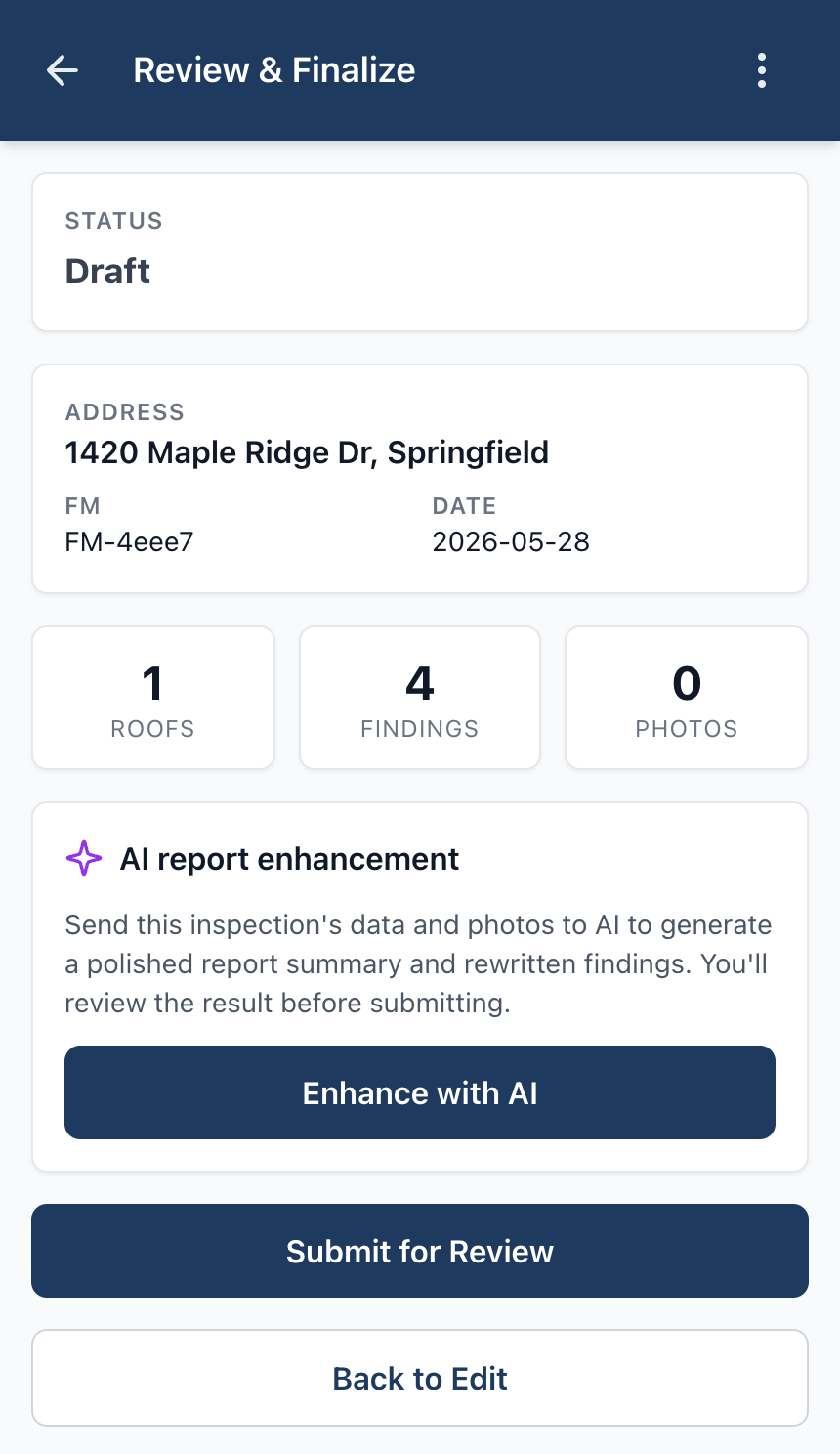
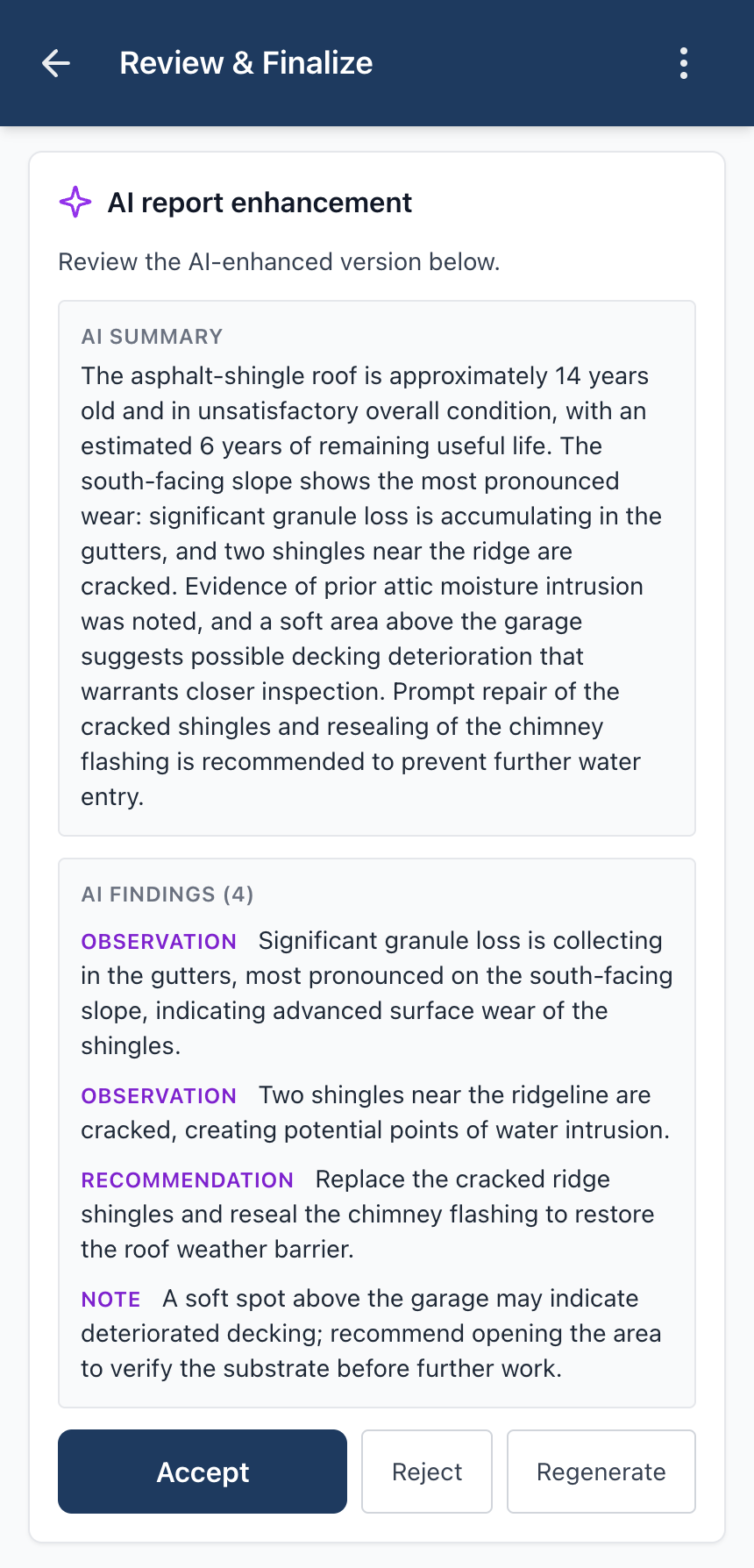
On the review screen, tap Enhance with AI. We send the inspection's data and photos to the model and return a polished summary plus rewritten findings. You review the draft against your original notes and accept it, reject it, or regenerate — nothing reaches the client until you say so.

Enhance with AI button on the review screen.
Step 1Tap "Enhance with AI" on the review screen.
AI-rewritten summary alongside the inspector's original, with accept/reject actions.
Step 2Review the AI summary and rewritten findings, then accept, reject, or regenerate.
Modules

One platform, every discipline.

Each inspection type is a full-featured module with the fields, units, and finalize-time PDF tuned to that discipline. Subscribe to any combination — they share the same workspace, login, and reports.

Roof

Section-by-section condition: material, age, remaining useful life, damage signs, leak observations. Primary + secondary sections.

Pool Service

Water chemistry (pH, chlorine, alkalinity, CYA, calcium hardness), temperature, equipment notes, services, chemicals added.

HVAC

System identity, component condition, and measurements — supply/return temps, superheat/subcool, static pressure, blower amps.

Pest Control

Target pests, infestation level, evidence zones, treatments applied, bait stations inspected, entry points sealed.

Lawn

Turf condition, soil pH, mowing height, thatch depth, weed/disease/pest pressure, products applied (incl. NPK), irrigation.

Electrical

Panel identity, component condition, split-phase measurements (leg voltages, N–G, panel temp, breaker draw), code violations.

Plumbing

Service identity, component condition, water-supply measurements (static pressure, flow, supply temps), code violations.

Solar

System identity, component condition, DC/AC measurements (capacity, string voltage, inverter output, production).

Garage Door

Door identity, component condition, balance test, measurements (cycles, weight, force, close speed), safety concerns.

Backflow

Assembly under test, test-gauge readings, component condition, pass/fail outcome — the data a certified backflow test report needs.

Fire Extinguisher

Extinguisher identity, NFPA 10 visual inspection, gauge and measurements, and the monthly/annual service cycle with hydro dates.

Septic

System identity, Florida regulatory fields, visual condition, measurements (sludge/scum depth), and the service performed this visit.

Windows

Per-window detail: glass specs, operation and condition, damage, hardware and water intrusion, NFRC label, and Florida hurricane compliance.

7-day free trial on every module
Pick one that fits, kick the tires for a week, cancel before day 7 if it's not for you. No charge until the trial converts.
See every report type →

Built for your team

Customize every form

Turn off the fields you don't collect and drag the sections of each module's form into the order your crew works — including where photos and findings land. Save once and it applies to every inspector, workspace-wide.

Learn more →

Activity log, with location

Owners and office staff get a workspace activity trail — who did what, and when. When a teammate's device shares it, actions are stamped with location too, so you can see where a finalize or edit happened.

Three roles, per-user access

Owner, Office, and Inspector — pick the right level for each team member. Owners decide which modules each user can work in. A roofer doesn't see pool-chemistry fields; a lawn tech doesn't see HVAC charge data.

Review & finalize workflow

Inspections move through three states: Draft, Submitted, Finalized. Office staff review submitted inspections, request changes by sending them back with a reason, or finalize and lock the report.

Your data, fully isolated

Every company gets its own dedicated workspace at yourcompany.apexfieldreports.com with a dedicated database. Your inspections, photos, and reports are never co-mingled with another customer's data.

Learn more →

Dark mode for the field

Light, dark, or follow your device — flip the whole app from a moon icon in the menu. Built for early-morning roof calls, dim service basements, and end-of-shift eyes. The preference travels with your account.

Learn more →
Ready to try it?

Sign up and
pick a module.

We'll provision your workspace and email your login within one business day. The 7-day free trial doesn't start ticking until you're in — no charge until you decide.